개요
이 섹션에서는 Casibase의 핵심 부분인 채팅과 그 관리에 대해 소개합니다.
1번. 채팅
When you log in to Casibase, the chat interface is your starting point. This makes it easy to immediately begin conversations with AI without navigating through menus. 스토리지를 구성한 후에 우리는 AI와 대화할 수 있습니다. 아래와 같이 보여집니다:
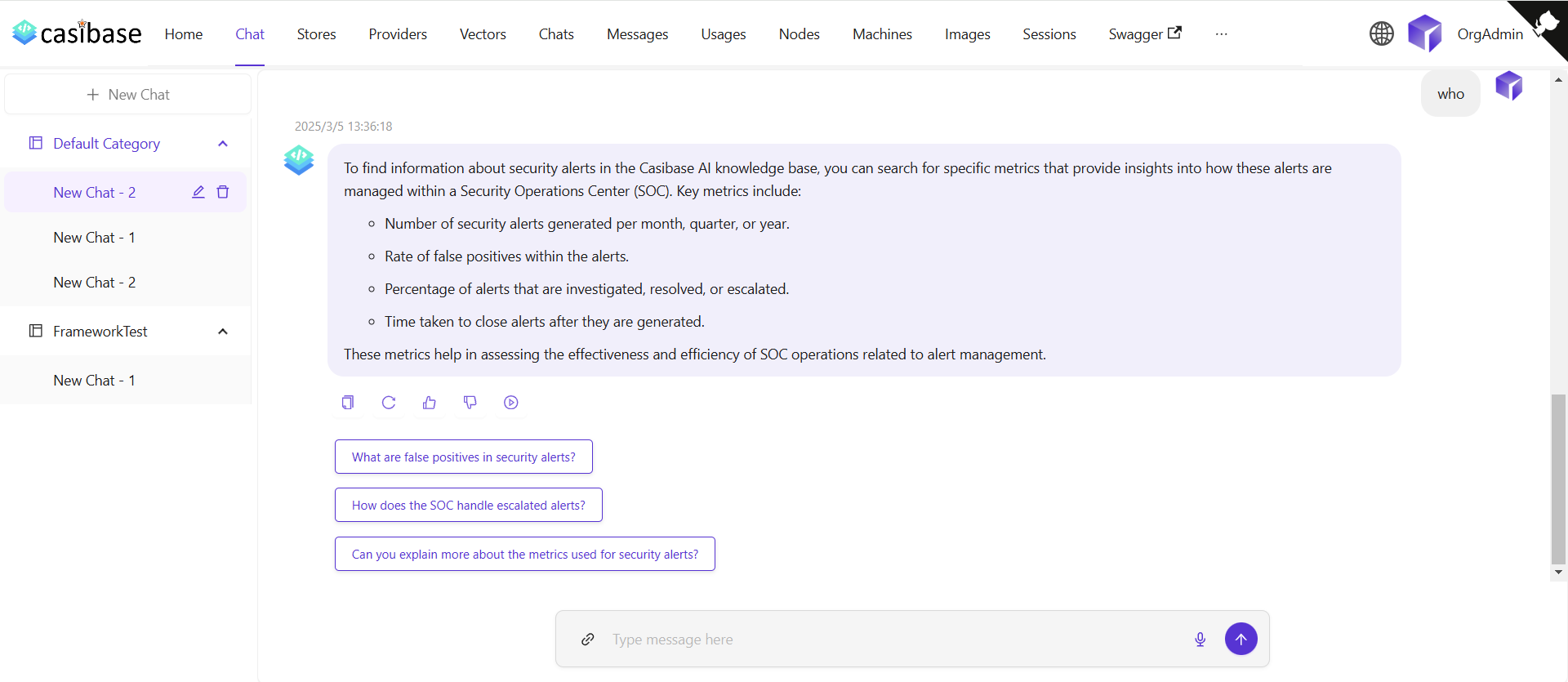
The chat interface adapts to different AI capabilities. When using OpenAI or Alibaba Cloud providers, you'll see a web search toggle that lets the AI fetch current information from the internet. Search results appear inline with the response, complete with source URLs and timestamps for verification. For OpenAI's reasoning models (o1 and o1-mini), the chat displays the model's step-by-step thinking process in expandable sections, letting you follow along as it works through complex problems.
Source Attribution
When the AI provides answers, you can trace where the information came from through two types of sources:
Knowledge sources appear when chatting with a store that has embedded documents. Click the button showing the number of knowledge sources to open a drawer that displays each relevant document fragment with its relevance score. You can click on any source to view the complete vector entry, or click on the file name/icon to jump directly to that file in the store's file viewer with the specific document pre-selected.
Web sources appear when web search is enabled. These show the websites the AI referenced when answering your question, complete with titles, URLs, and brief descriptions. The drawer displays search results with timestamps and allows you to visit the original sources.
2번. 채팅 관리
채팅 메뉴에서 채팅 세션을 관리할 수 있습니다.
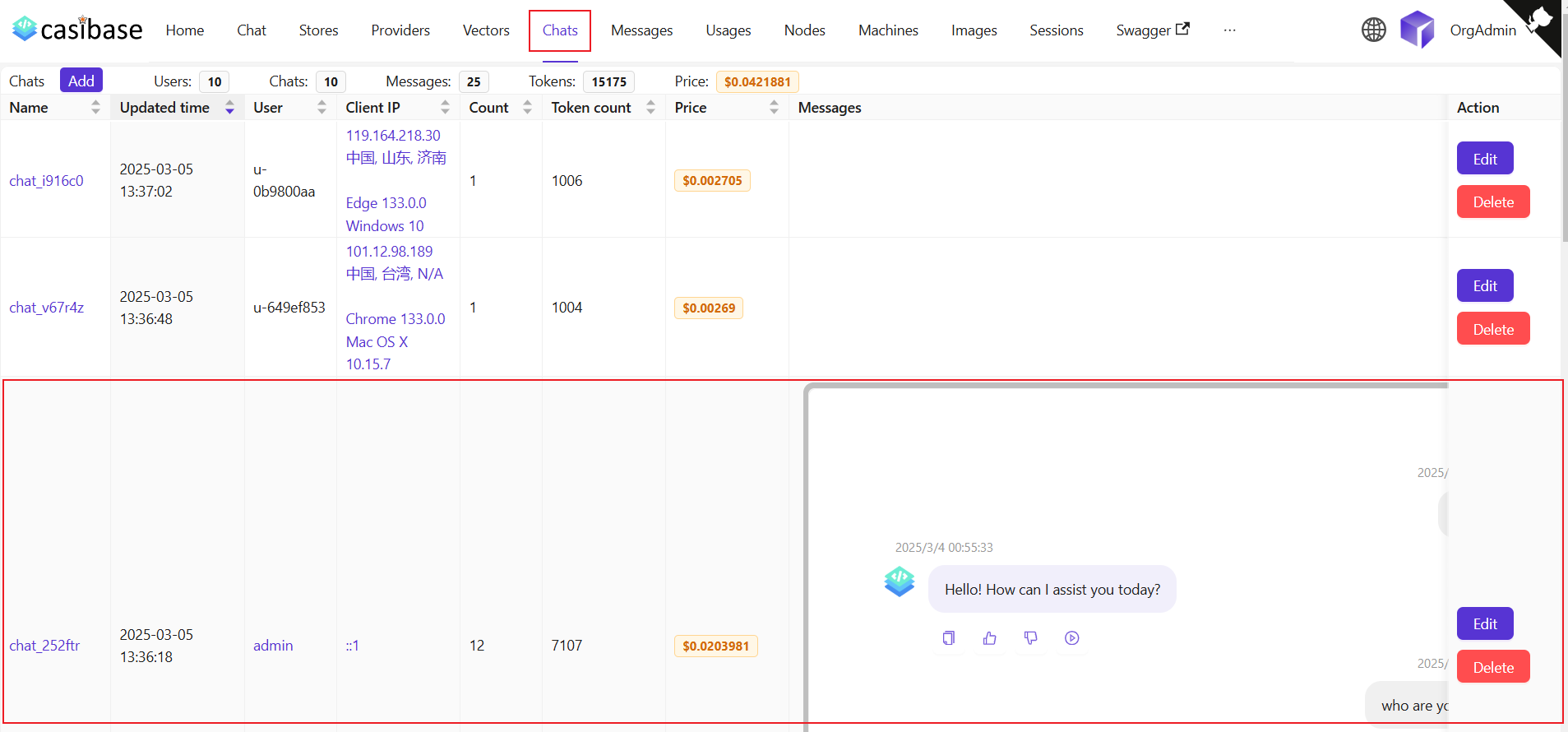
이 페이지에서 사용자는 생성된 채팅에 대한 정보를 볼 수 있으며, 사용자는 편집을 클릭하여 보거나 편집할 수도 있습니다. Regular users can access and view their own chat sessions, while administrators have full access to all chats in the system for management purposes. 다음 정보가 표시됩니다:
이름: 생성된 채팅의 이름입니다.업데이트 시간: 채팅이 업데이트된 시간입니다.사용자: 채팅이 속한 사용자입니다.클라이언트 IP: 채팅의 클라이언트 IP입니다.개수: 이 채팅의 입력 및 출력 횟수입니다.토큰 수: 이 채팅에 사용된 총 토큰 수입니다.가격: 이 채팅에 지출된 총 가격입니다.메시지: 채팅의 메시지 내용을 표시합니다.스토리지: 채팅이 속한 스토리지를 표시합니다.Model Provider: The AI provider used for this chat (e.g., OpenAI, Claude).카테고리: 채팅이 속한 카테고리를 표시합니다.
Token usage and costs are automatically tracked for billing purposes. See the Billing & Usage section for more details on how transactions are created and managed.