概要
このセクションでは、Casibaseの最も中心的な部分であるチャットとその管理について紹介します。
1。 チャット
When you log in to Casibase, the chat interface is your starting point. This makes it easy to immediately begin conversations with AI without navigating through menus. ストレージを設定すると、AIと会話できるようになります。以下のように表示されます: 以下の画像に示されています:
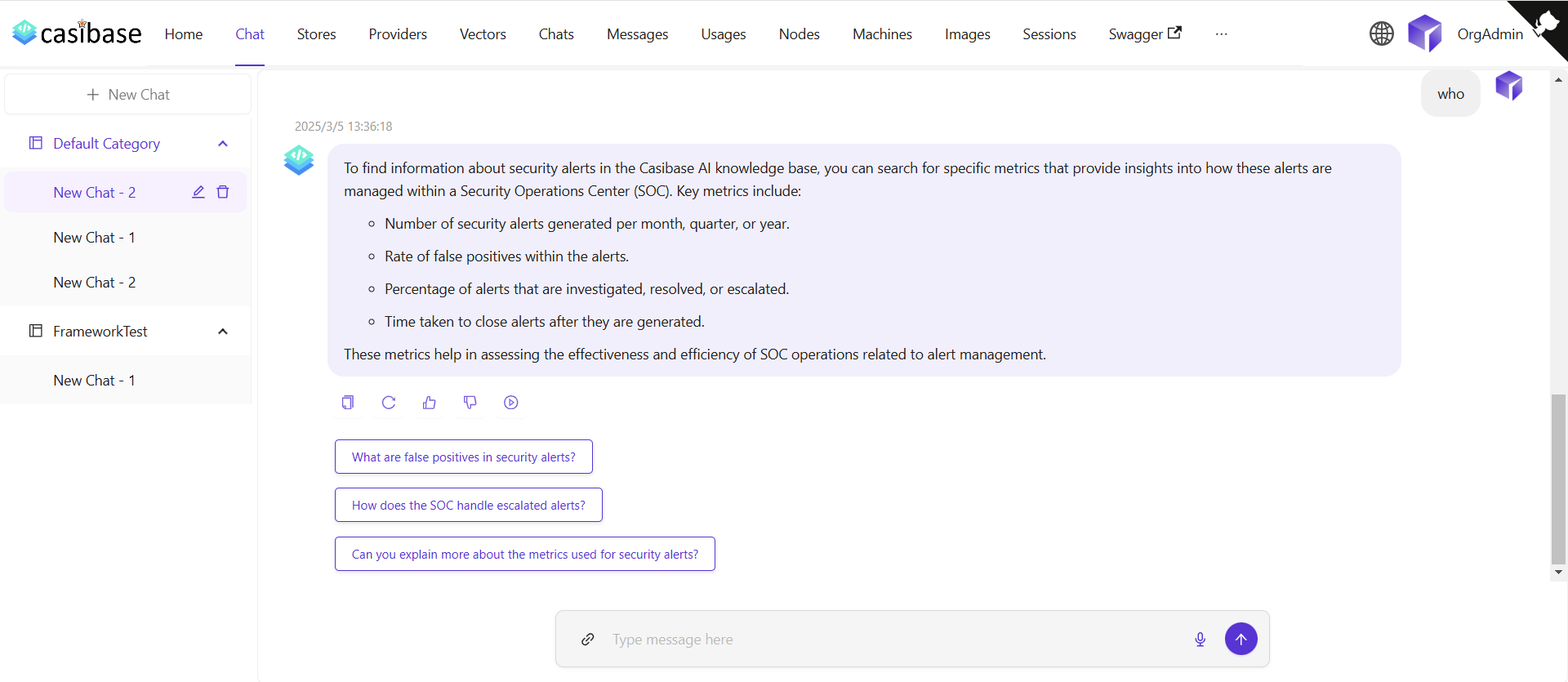
The chat interface adapts to different AI capabilities. When using OpenAI or Alibaba Cloud providers, you'll see a web search toggle that lets the AI fetch current information from the internet. Search results appear inline with the response, complete with source URLs and timestamps for verification. For OpenAI's reasoning models (o1 and o1-mini), the chat displays the model's step-by-step thinking process in expandable sections, letting you follow along as it works through complex problems.
Source Attribution
When the AI provides answers, you can trace where the information came from through two types of sources:
Knowledge sources appear when chatting with a store that has embedded documents. Click the button showing the number of knowledge sources to open a drawer that displays each relevant document fragment with its relevance score. You can click on any source to view the complete vector entry, or click on the file name/icon to jump directly to that file in the store's file viewer with the specific document pre-selected.
Web sources appear when web search is enabled. These show the websites the AI referenced when answering your question, complete with titles, URLs, and brief descriptions. The drawer displays search results with timestamps and allows you to visit the original sources.
2。 チャット管理
チャットメニューから、チャットセッションを管理することができます。
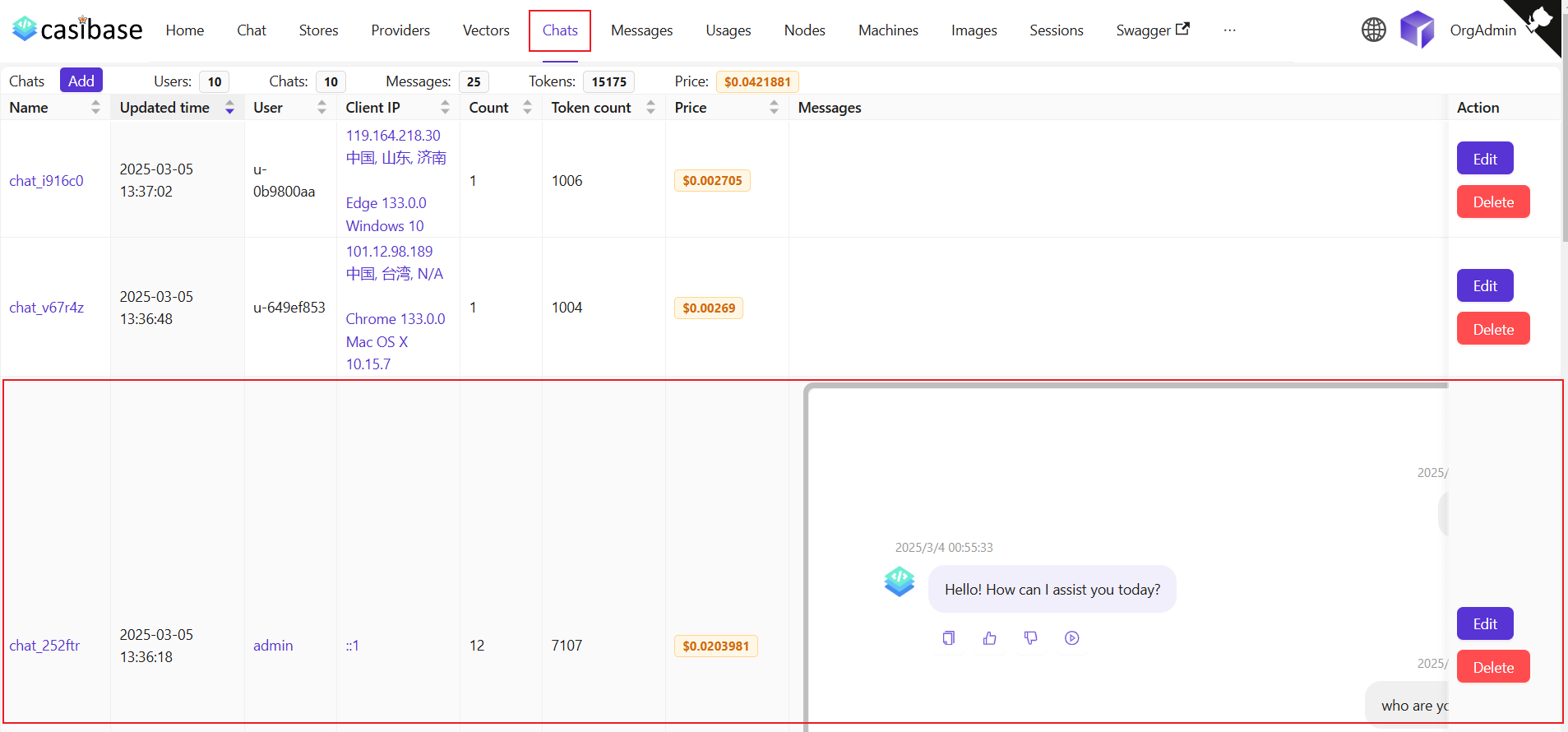
このページでは、ユーザーは作成されたチャットの情報を閲覧することができ、編集をクリックして表示または編集することもできます。以下の情報が表示されます: Regular users can access and view their own chat sessions, while administrators have full access to all chats in the system for management purposes. 表示される情報は以下の通りです:
名前:作成されたチャットの名前。更新時間:チャットが更新された時間。ユーザー:チャットが属するユーザー。クライアントIP:チャットのクライアントIP。カウント:このチャットの入力と出力の回数。トークン数:このチャットで使用された合計トークン数。価格:このチャットにかかった総額。メッセージ:チャットのメッセージ内容を表示します。ストレージ:チャットが属するストレージを表示します。Model Provider: The AI provider used for this chat (e.g., OpenAI, Claude).カテゴリ:チャットが属するカテゴリを表示します。
Token usage and costs are automatically tracked for billing purposes. See the Billing & Usage section for more details on how transactions are created and managed.