نظرة عامة
في هذا القسم، نقدم الجزء الأساسي من Casibase: المحادثات وإدارتها.
١. المحادثة
When you log in to Casibase, the chat interface is your starting point. This makes it easy to immediately begin conversations with AI without navigating through menus. بمجرد تكوين التخزين، يمكننا التحدث مع الذكاء الاصطناعي. كما هو موضح أدناه:
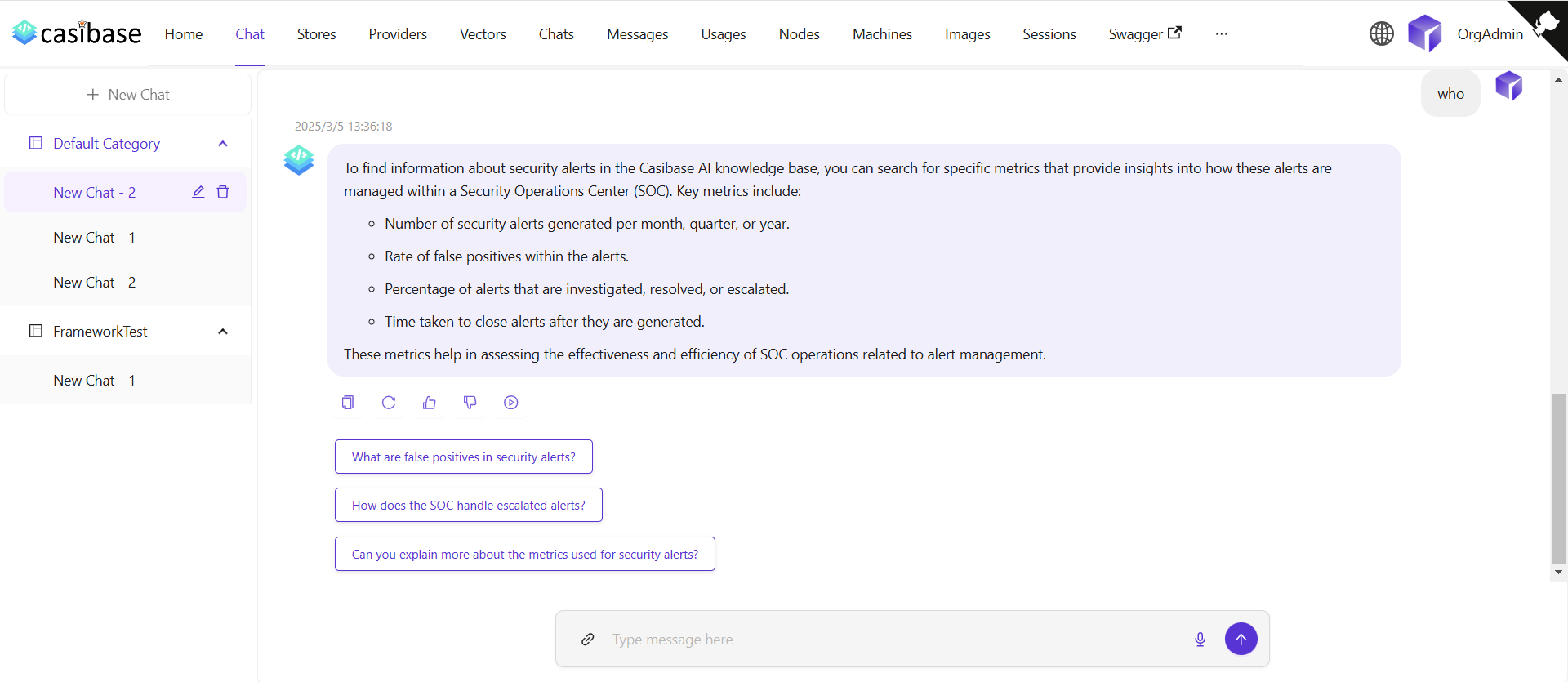
The chat interface adapts to different AI capabilities. When using OpenAI or Alibaba Cloud providers, you'll see a web search toggle that lets the AI fetch current information from the internet. Search results appear inline with the response, complete with source URLs and timestamps for verification. For OpenAI's reasoning models (o1 and o1-mini), the chat displays the model's step-by-step thinking process in expandable sections, letting you follow along as it works through complex problems.
Source Attribution
When the AI provides answers, you can trace where the information came from through two types of sources:
Knowledge sources appear when chatting with a store that has embedded documents. Click the button showing the number of knowledge sources to open a drawer that displays each relevant document fragment with its relevance score. You can click on any source to view the complete vector entry, or click on the file name/icon to jump directly to that file in the store's file viewer with the specific document pre-selected.
Web sources appear when web search is enabled. These show the websites the AI referenced when answering your question, complete with titles, URLs, and brief descriptions. The drawer displays search results with timestamps and allows you to visit the original sources.
٢. إدارة المحادثات
يمكننا إدارة جلسات الدردشة الخاصة بنا من قائمة المحادثات.
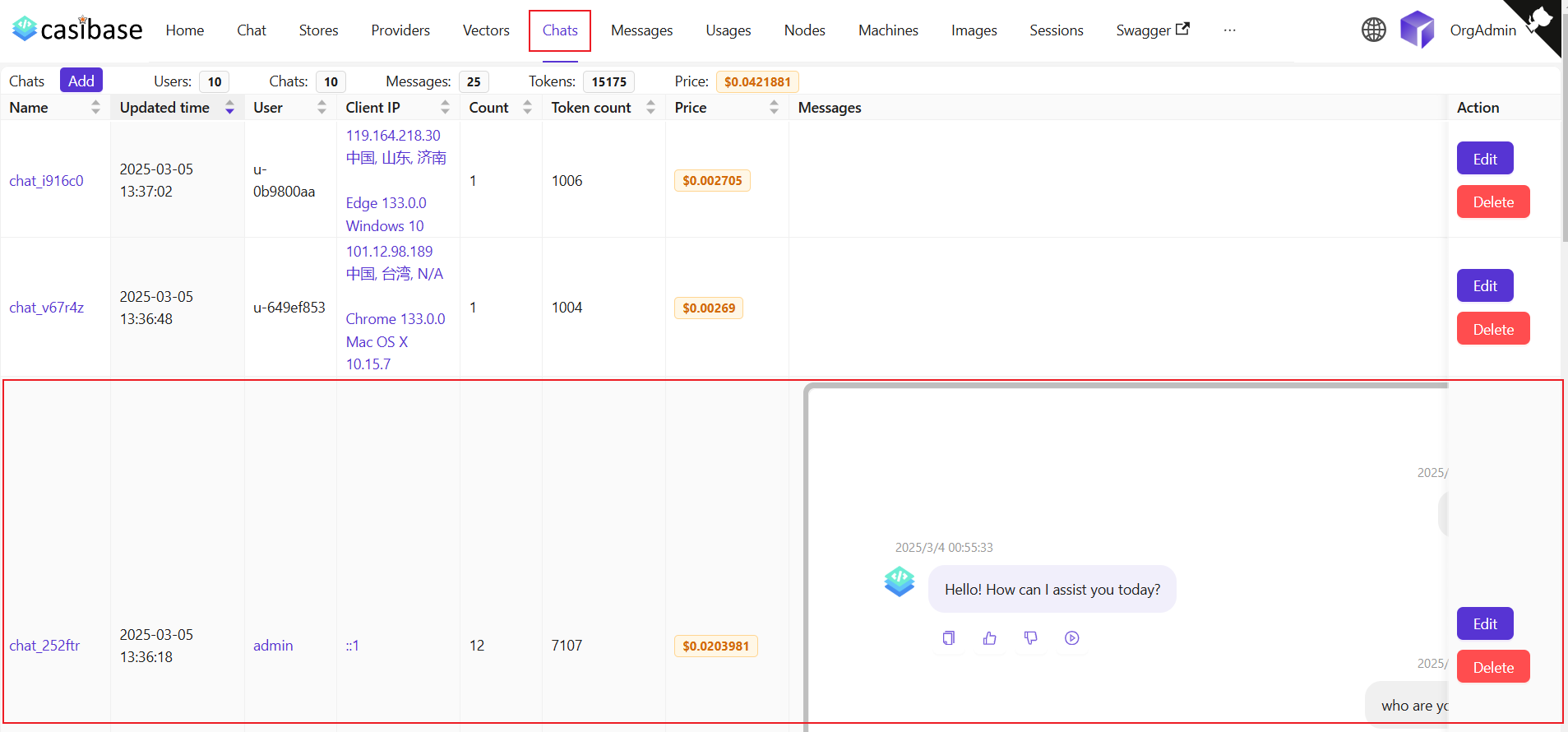
تتيح هذه الصفحة للمستخدمين عرض معلومات حول المحادثات التي تم إنشاؤها، ويمكن للمستخدمين أيضًا النقر على تحرير لعرضها أو تعديلها. Regular users can access and view their own chat sessions, while administrators have full access to all chats in the system for management purposes. وهي تعرض المعلومات التالية:
الاسم: اسم المحادثة التي تم إنشاؤها.وقت التحديث: الوقت الذي تم فيه تحديث المحادثة.المستخدم: المستخدم الذي تنتمي إليه المحادثة.IP العميل: عنوان IP للعميل الخاص بالمحادثة.العدد: عدد المدخلات والمخرجات لهذه المحادثة.عدد الرموز: إجمالي عدد الرموز المستخدمة في هذه المحادثة.السعر: السعر الإجمالي المنفق على هذه المحادثة.الرسائل: يعرض محتوى رسائل المحادثة.التخزين: يعرض التخزين الذي تنتمي إليه المحادثة.Model Provider: The AI provider used for this chat (e.g., OpenAI, Claude).الفئة: يعرض الفئة التي تنتمي إليها المحادثة.
Token usage and costs are automatically tracked for billing purposes. See the Billing & Usage section for more details on how transactions are created and managed.