Casdoor-Einmalanmeldung
Casibase verwendet Casdoor als seinen Identitäts- und Single Sign-On (SSO)-Provider. Bitte stellen Sie sicher, dass Casdoor im Voraus bereitgestellt wird.
Bitte beziehen Sie sich auf die Casdoor-Serverinstallationsanleitung, um Casdoor zu installieren und zu konfigurieren.
Befolgen Sie diese Schritte, um Casdoor für Casibase einzurichten:
- Organisation erstellen
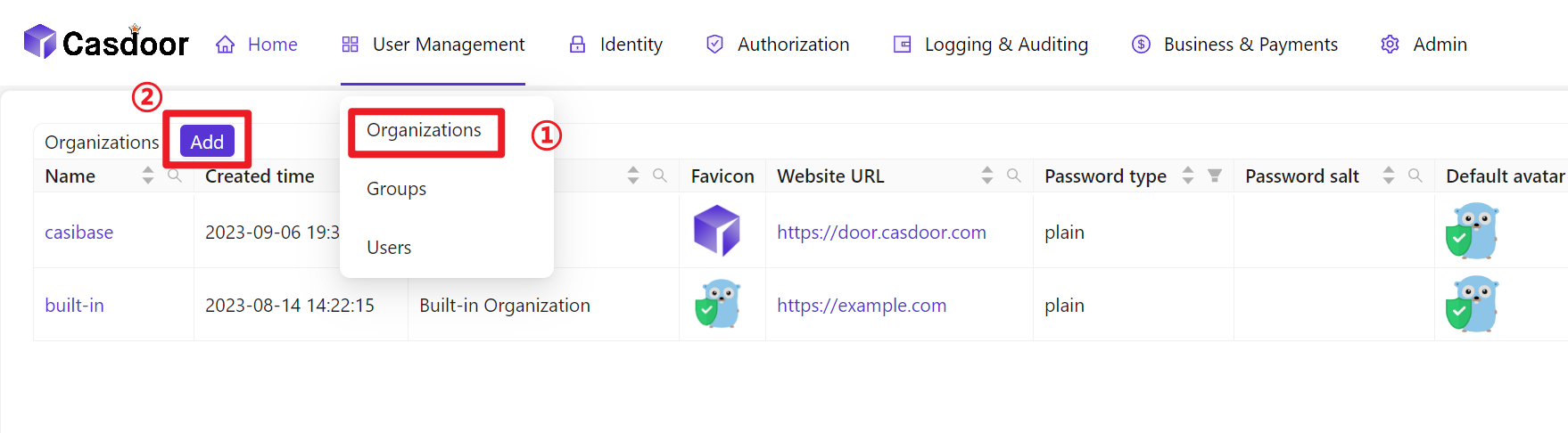
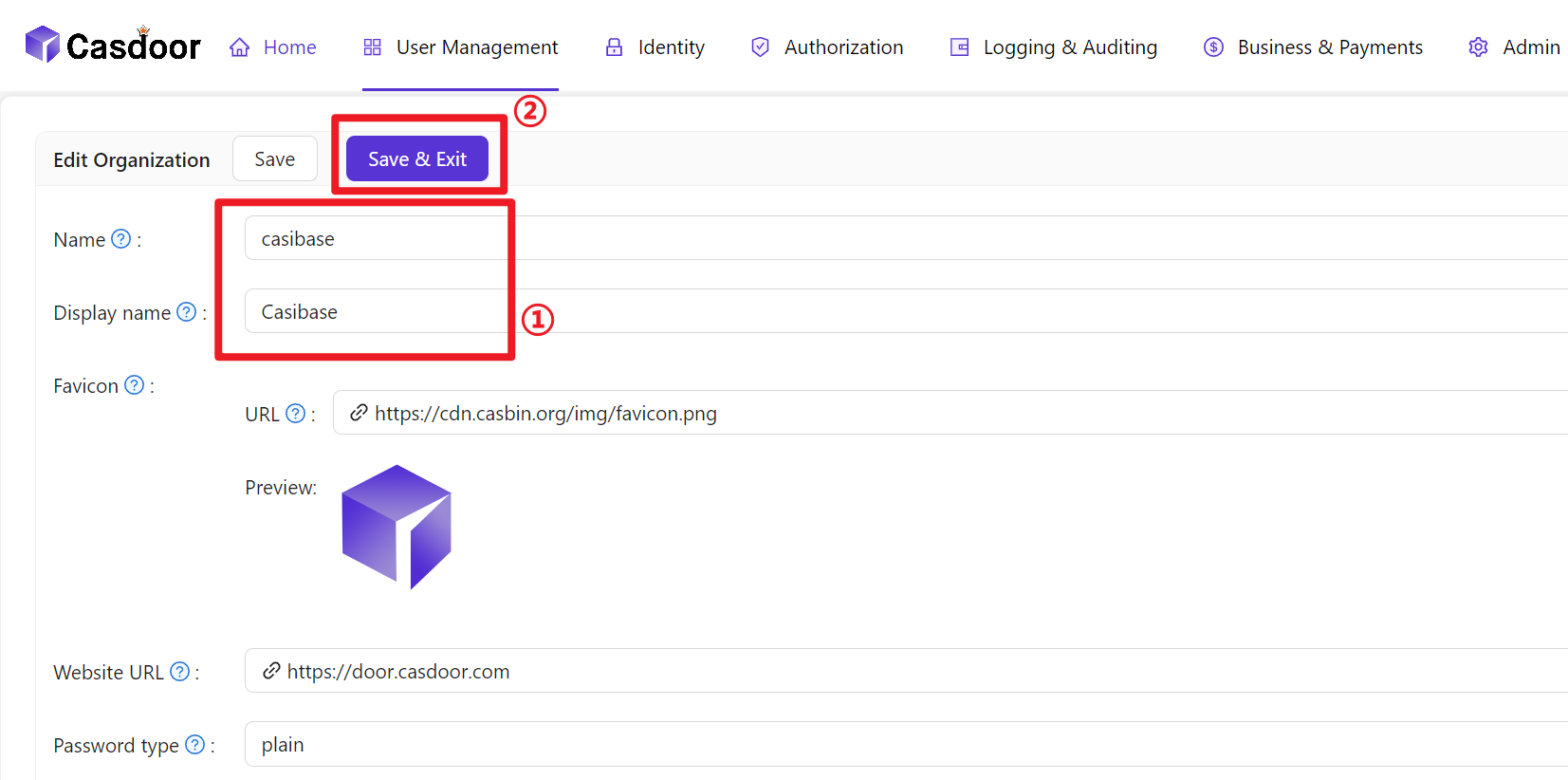
- Organisationsinformationen konfigurieren
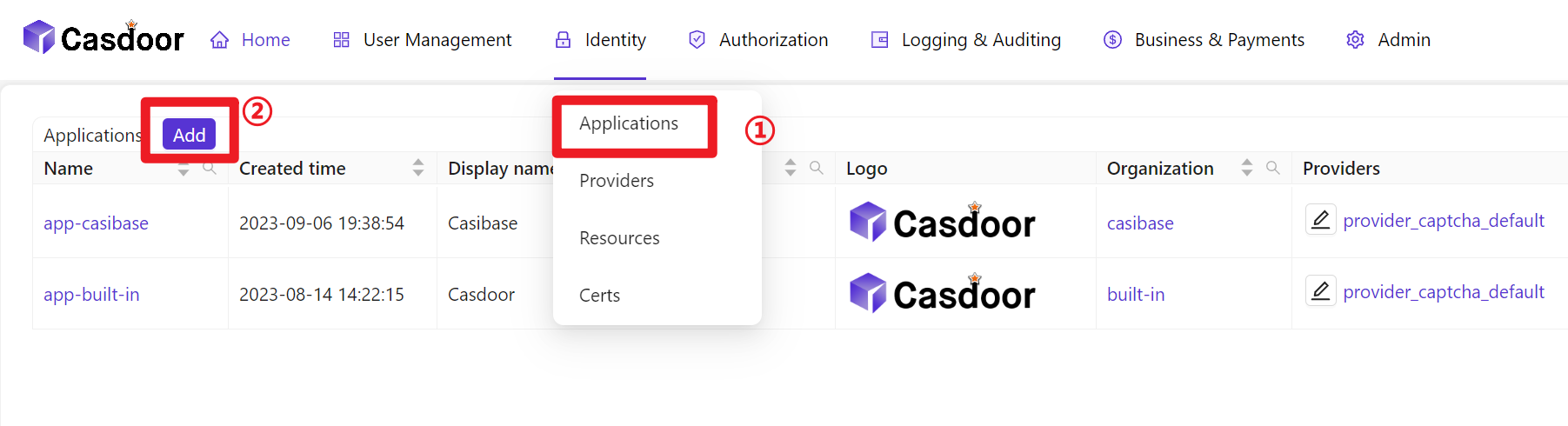
- Neue Anwendung erstellen
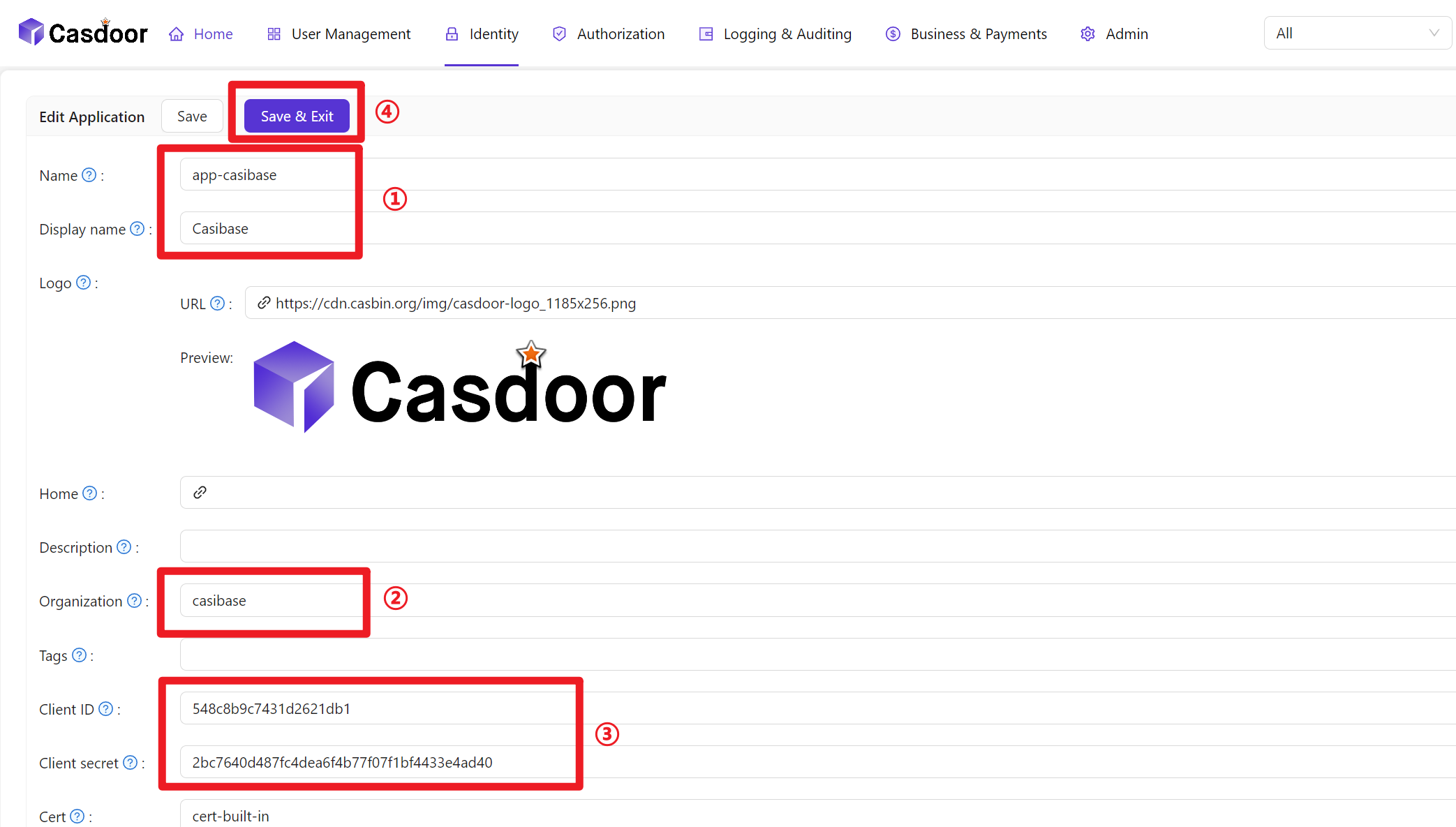
- Anwendungsinformationen konfigurieren (bitte merken Sie sich den Anwendungsnamen, ClientID und ClientSecret)
- Create a Certificate: In the Casdoor dashboard, choose Cert → Add, keep
AlgorithmasRS256(default), enter a name, and click Save.
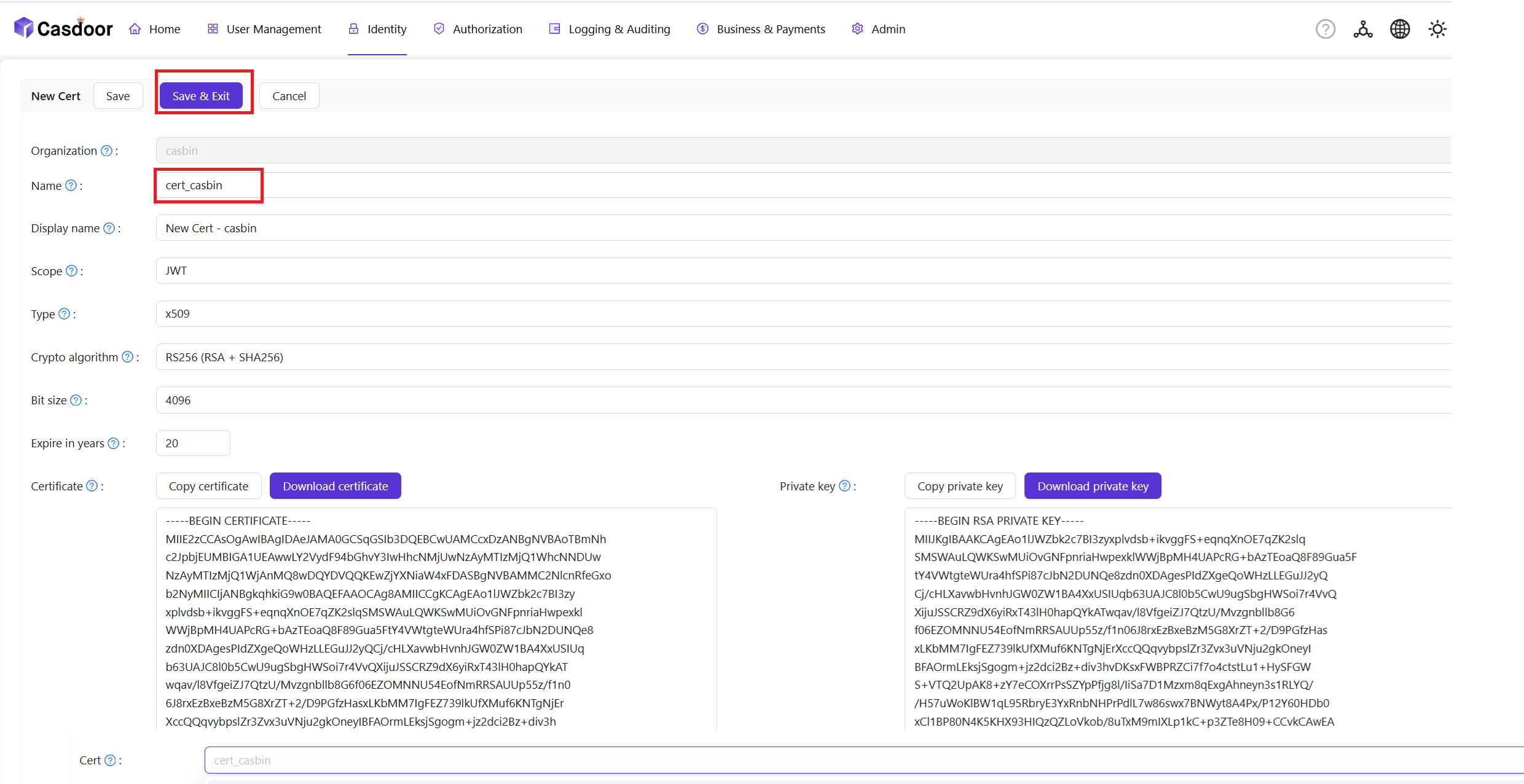
- Bind the Certificate to the Application: Open the Config tab of your newly created Application, select the certificate you just created from the Cert dropdown, and click Save.

- Mitglieder zur neu erstellten Organisation hinzufügen
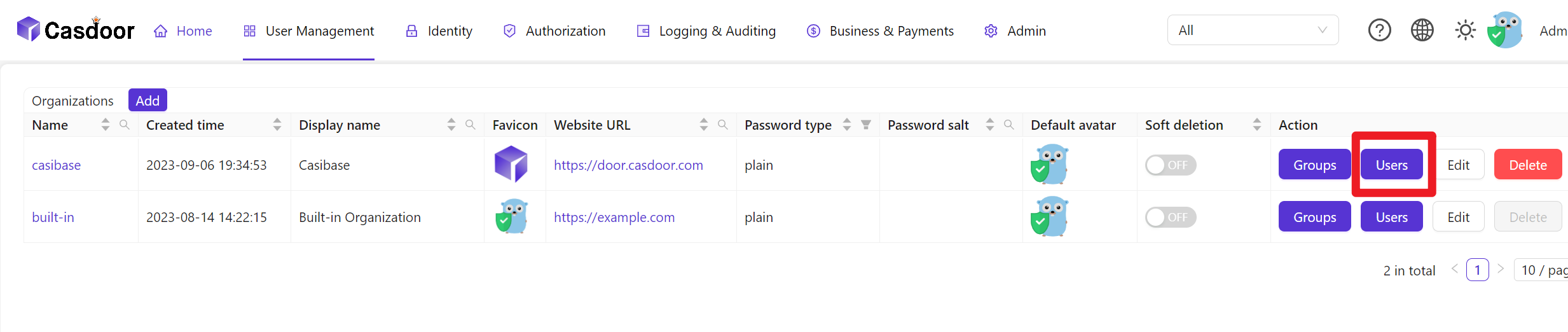
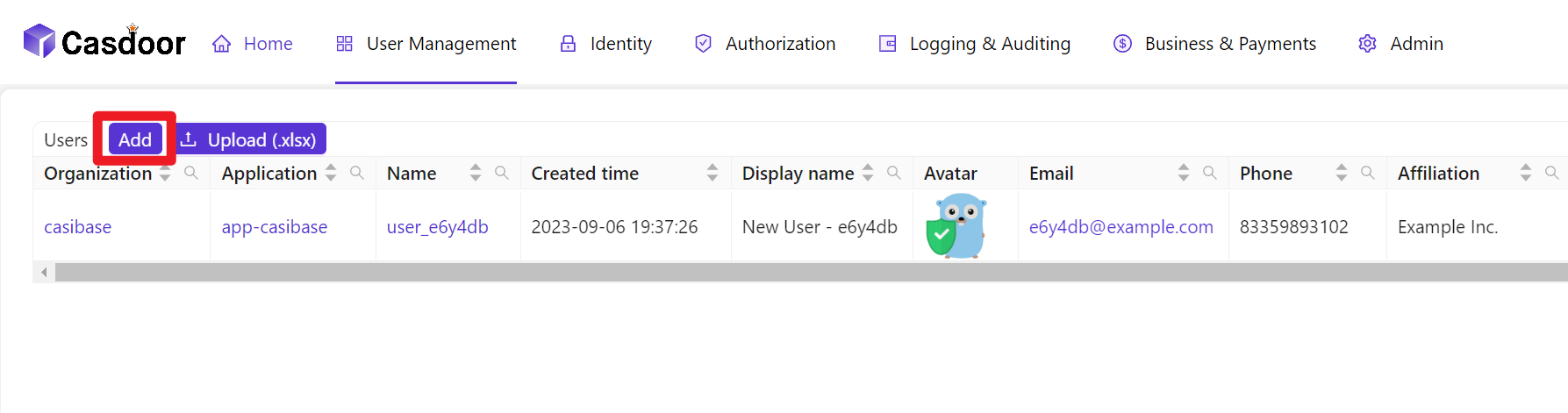
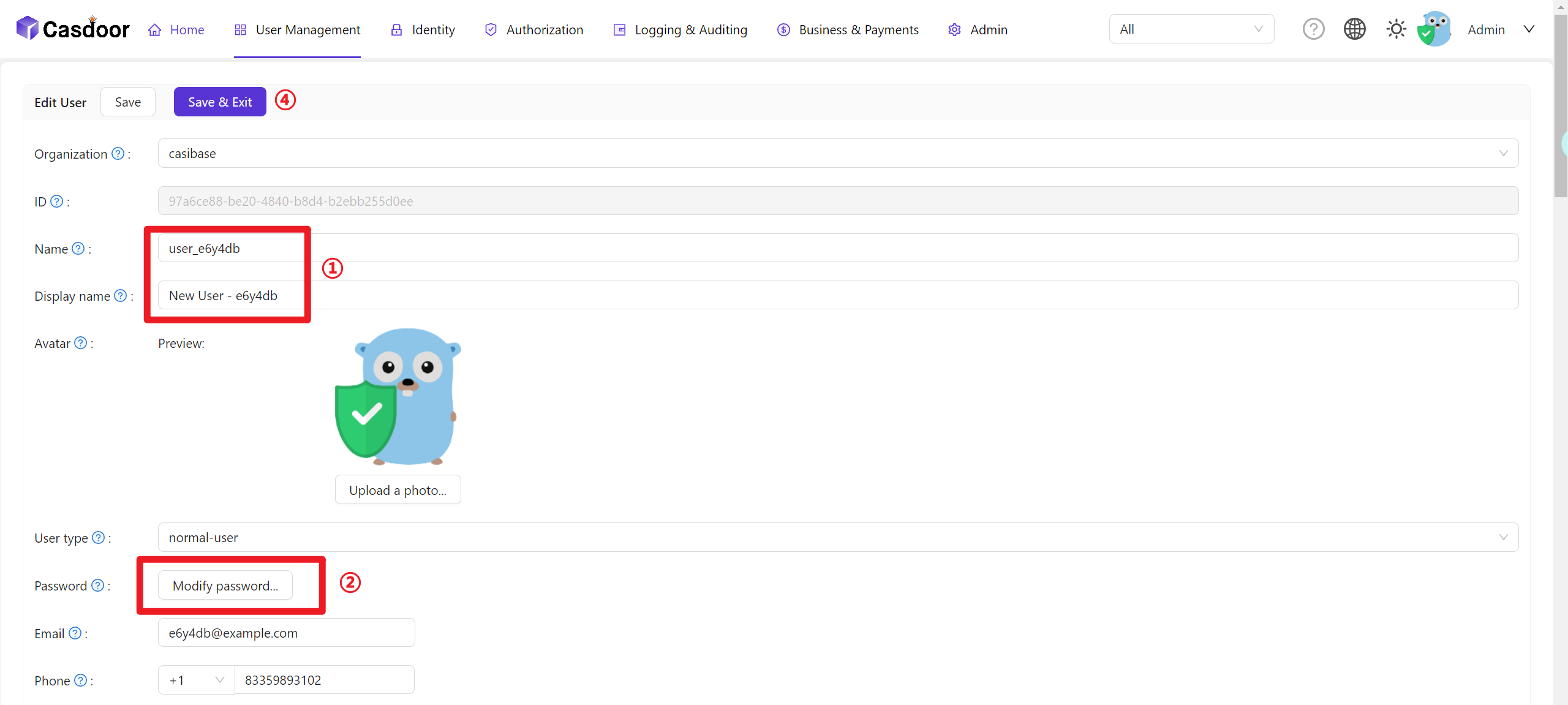
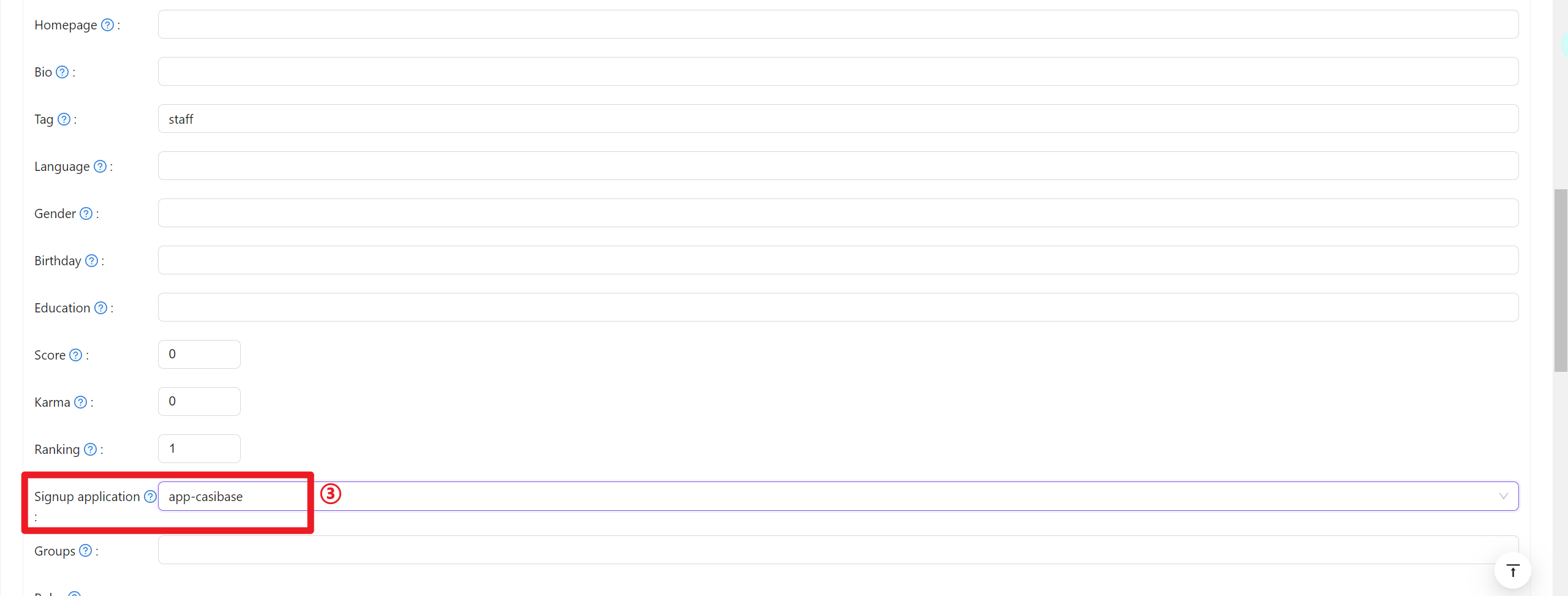
- Mitgliederinformationen konfigurieren (bitte merken Sie sich Benutzername und Passwort)
User Data Synchronization
Casibase automatically keeps user information synchronized with Casdoor. When a user's account is accessed through the application, Casibase fetches the latest user data directly from Casdoor rather than relying on cached session data. This ensures that any updates to user profiles in Casdoor—such as changes to name, email, avatar, or permissions—are immediately reflected in Casibase without requiring users to log out and log back in.
This real-time synchronization happens transparently in the background whenever the application needs to access the current user's account information.
Billing Integration
Casibase integrates with Casdoor's transaction system for AI usage billing. When users interact with AI models, transaction records are automatically created in Casdoor to track token consumption and costs. This enables centralized billing management across all your applications. For details on how transactions work, see the Billing & Usage section.